


Animation Draw: Flip Maker
4.599.00 Reviews
App Specs
- Version
- 1.1.1
- Updated On
- License
- Free
- Downloads
- 500,000+
- Developer
- Fusion Flow Tech
- Categories
- Art & Design
- Platform
- Android
Screenshots
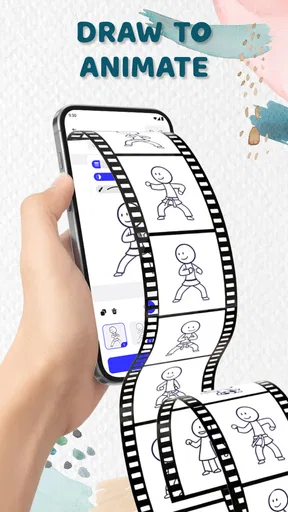
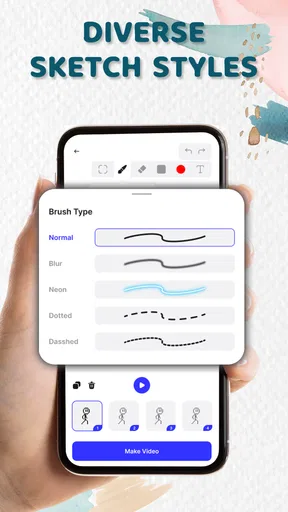
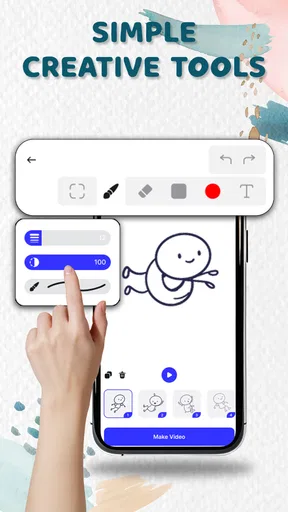
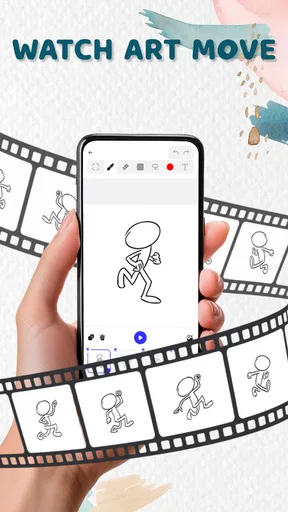
 Analysis by AppCompare
I like small creative apps best when they make it easy to try an idea before I have time to talk myself out of it. Animation Draw: Flip Maker is built around one appealing possibility: draw a sequence of pictures, make small changes from one frame to the next, and watch a sketch begin to move. That simple frame-by-frame approach is its strongest reason to try it. It turns a spare moment into a low-pressure chance to experiment with motion, rather than asking you to learn a large animation program first.
A small drawing change can become the whole animation
The central appeal is the flipbook format. Instead of treating animation as a complicated timeline full of technical decisions, the app asks you to build movement one image at a time. I find that useful for ideas that are easier to understand visually than explain: a character blinking, a ball bouncing, a handwritten flourish, or a tiny face changing expression. You can concentrate on the drawing and the difference between frames, which is exactly where a beginner can learn how motion reads.
That approach also makes the app a natural fit for quick studies. A short sequence can teach you more about timing and spacing than a polished still image does, because you see immediately whether the movement feels clear. The trade-off is that frame-by-frame work rewards patience. If you want a complex scene with several moving parts, you will need to plan the action and keep track of changes rather than expect the app to animate a drawing for you.
How I would build a first useful test
I would start with a subject that changes in only one obvious way. Draw a simple shape in the first frame, then move it a little in each following frame. Before adding color or background details, play the sequence and check whether the movement reads. This is a practical way to avoid spending time decorating frames that need a clearer action. If the motion feels jumpy, smaller changes between drawings are usually a better fix than adding more visual detail.
The onion-skin view is especially helpful in that process because it gives you a faint reference to the previous drawing. I would use it to compare the position of a character’s head or the curve of a moving line, rather than tracing every detail exactly. Keeping a few distinctive landmarks consistent helps a sequence feel intentional, while leaving minor hand-drawn differences can preserve the charm of a flipbook. This is one of the more useful habits to develop when drawing with a finger on a small screen.
Imported images can also serve as a starting point for a small animation study. For example, you might bring in a drawing and add movement over it, instead of redrawing the entire scene from scratch. That is handy when the background should stay still while one element changes. It is less suitable if your goal is a carefully layered production, since a simple flipbook workflow is not the same as a full compositing setup. I would keep imported material uncomplicated and test the motion early.
A realistic everyday use
Imagine having a few minutes between tasks and wanting to make a friend laugh with a tiny animated reaction. I would sketch a face, change its expression across a short run of frames, adjust the playback speed until the change lands, and export the result to share. The point is not to make a finished film in that moment; it is to turn a quick visual joke into something with timing. That kind of contained project suits the app better than a long animation with many scenes.
Worth Reading Before You Choose

EA SPORTS FC Mobile 26 Is a Bigger Football Game, but It Takes Time

Flipboard Shows What News Apps Must Do Beyond the Feed

Switching to Android Auto Means Rethinking Your Driving Routine

Google Calendar Makes a Crowded Week Easier to Manage

Ludo King Makes the Most of the Minutes Between Plans

Baby Panda World Brings Quick Play to Modern Phones, but Its Game Library Feels Busy
For a student, the same process could help demonstrate a simple idea, such as how a shape moves or how an expression changes. For someone who already draws, it offers a way to test a pose or gesture without opening a more involved animation package. I would still save the original drawing separately if it matters to me, and I would check the exported result before sharing it. A sequence that looks clear while drawing may feel too fast or too slow once it plays on its own.
Getting Started: The First Impressions
Once you fire up Animation Draw: Flip Maker, you're greeted with a clean and intuitive interface. No clutter, no overwhelming options—just a straightforward canvas that begs you to start drawing. The app is designed to let you jump right into the action, which is a breath of fresh air, especially if you're eager to start animating.
Right from the get-go, I noticed how smooth the drawing experience felt. The app supports a variety of brushes and colors, allowing for some creative freedom. Whether you're sketching with a stylus or just using your fingers, the responsiveness is impressive. It's like having a mini animation studio in your pocket, minus the hefty price tag.
Features That Stand Out
Now, let's talk about the features. One of the coolest aspects of this app is its frame-by-frame animation capability. You start with a blank frame and can easily add subsequent frames, making small changes to create the illusion of motion. It's almost like flipping through one of those old-school flipbooks, but with the convenience of digital tools.
The app also offers onion skinning, which is a game-changer. This feature lets you see a faint outline of the previous frame, making it easier to ensure smooth transitions between frames. For anyone who's dabbled in animation, you'll know how vital this is. It's a subtle touch, but it shows that the developers understand what animators need.
Another nifty feature is the ability to import images. You can bring in photos or drawings and animate over them, which adds a layer of versatility. This is particularly useful if you're working on a project that requires a bit of mixed media.
The Animation Process
Creating animations is where the real fun begins. As you add frames and watch your creation come to life, there's a sense of accomplishment that's hard to beat. The app allows you to adjust the speed of your animations, giving you control over the pacing. Whether you want a rapid-fire sequence or a slow, dramatic reveal, it's all at your fingertips.
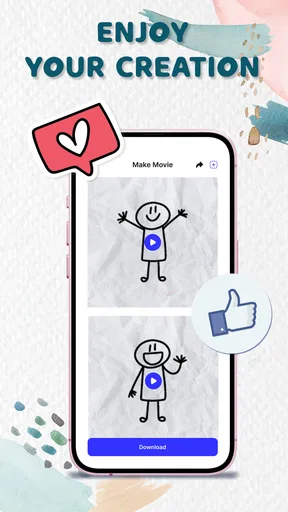
Once you're happy with your masterpiece, exporting it is a breeze. The app supports exporting to GIF or video formats, making it easy to share your animations on social media or with friends. It's gratifying to see your work in motion, especially when it's been so easy to create.
Choosing it over a larger animation app
Compared with the usual alternatives in art and design, this app’s value is its narrow focus. A general drawing app is a better choice when the finished image matters more than movement; a professional animation tool makes more sense for detailed timelines, layers, and production control. Here, the point is to make a small sequence without first learning a dense interface. I would choose it for a visual experiment or a shareable loop, not as the main tool for a client project that needs precise revisions.
One practical way to keep the workflow manageable is to settle the action before polishing the drawings. Decide what changes from frame to frame, check the pacing, and only then spend time on color or extra marks. That order matters because every decorative detail can become another thing to maintain across the sequence. If you find yourself repeating substantial artwork in every frame, simplifying the background or focusing on one moving subject can make the task much less tedious.
Room for Improvement
While Animation Draw: Flip Maker does a lot of things right, there's always room for improvement. The app could benefit from additional brush options and more advanced editing tools. Sometimes, the color palette feels a bit limited, and adding more textures or effects could elevate the experience further.
Also, while the interface is generally user-friendly, a tutorial or guided tour for first-time users would be a nice touch. Though it's easy to pick up, some users might appreciate a little guidance to make the most out of all the features available.
There is a learning curve even with a straightforward canvas: the app can make drawing and sequencing approachable, but it cannot decide what movement will look convincing. Beginners may need a few throwaway attempts before they understand how far to shift an object between frames. I would treat those early tries as sketches, not failures. The format is most forgiving when the action is simple, and less forgiving when a drawing contains many details that drift from one frame to the next.
It is also worth thinking about the final destination before starting. Exporting as a GIF or video is convenient for sharing, but the right format depends on where you plan to use the result and how it will be viewed. I would preview the export on the device or platform where I intend to share it, especially if the timing is part of the joke or explanation. That quick check can reveal whether the sequence communicates without the drawing canvas around it.
Who will get the most from it
For a newcomer, the appeal is being able to try animation without making a commitment to a complex creative suite. For a casual illustrator, it can turn doodling into a playful exercise in timing. Fusion Flow Tech’s app is free, rated for Everyone, and sits in the art-and-design space; its 4.5 average from around 8.6 thousand ratings suggests it has found an audience, while more than 500 thousand installs show that people are trying this compact approach. It is currently version 1.0.7, and it was released on November 26, 2025.
I would skip it if you mainly need advanced control over a production, want extensive editing options, or do not enjoy drawing the in-between stages of movement. A person who only wants to make a static illustration will probably be happier in a drawing-first app. Likewise, an experienced animator working on layered scenes may prefer software designed for that level of control. The best match is someone curious about motion who values a direct, hands-on workflow more than a long feature list.
Final Thoughts
Overall, Animation Draw: Flip Maker is a delightful app for anyone interested in animation, whether you're a complete beginner or a seasoned artist. It strikes a balance between simplicity and functionality, making it accessible while still packing enough features to satisfy creative minds.
If you're looking to dip your toes into animation without the complexity of professional software, this app is a fantastic starting point. It's fun, engaging, and most importantly, it encourages creativity. So go ahead, download it, and let your imagination run wild. You might just find yourself hooked on the art of animation.
My recommendation is to approach it with one small idea and let the sequence stay small until the movement works. That plays to the app’s clearest strength: it makes drawing successive frames feel approachable, while leaving the actual creative decisions in your hands. If that sounds enjoyable, this is an inviting place to begin; if you need a full production workspace, a more advanced alternative will serve you better.
Pros
- Intuitive interface for easy navigation.
- Wide range of drawing tools available.
- Supports multiple layers for animation.
- Export options in various formats.
- Tutorials for beginners included.
Cons
- Limited free version features.
- Occasional app crashes reported.
- No cloud storage integration.
- Ads can be intrusive at times.
- Requires a stable internet connection.
FAQs for Animation Draw: Flip Maker
What is Animation Draw: Flip Maker and who is it for?
Animation Draw: Flip Maker is a creative app designed for both aspiring and experienced animators. It allows users to create frame-by-frame animations using a variety of tools and features. This app is perfect for artists, students, and anyone interested in animation or storytelling. Whether you’re a beginner or a seasoned professional, the app provides a platform to experiment and bring your animated ideas to life.
What features does Animation Draw: Flip Maker offer?
Animation Draw: Flip Maker offers a range of features to enhance your animation experience. These include a user-friendly interface, multiple layers for complex animations, a wide selection of brushes and colors, onion skinning for seamless transitions, and the ability to export animations in various formats. Additionally, the app supports both stylus and finger input, catering to different user preferences.
Is Animation Draw: Flip Maker available for both Android and iOS?
Yes, Animation Draw: Flip Maker is available for both Android and iOS devices. This ensures that users can access and enjoy the app regardless of their preferred operating system. You can download it from the Google Play Store or the Apple App Store, making it convenient for a wide audience to explore and create animations on their smartphones or tablets.
Are there any in-app purchases or subscriptions in Animation Draw: Flip Maker?
Animation Draw: Flip Maker offers a free version with basic features, but also includes in-app purchases for additional tools and capabilities. Users can choose to unlock premium features through one-time purchases or subscriptions, depending on their needs. This allows users to start with the basics and gradually expand their creative toolkit as they progress in their animation journey.
What are the pros and cons of using Animation Draw: Flip Maker?
The pros of Animation Draw: Flip Maker include its intuitive design, comprehensive toolset, and accessibility for users of all skill levels. It encourages creativity and offers a platform for learning and experimentation. However, some cons may include the need for in-app purchases to access advanced features and occasional performance issues on older devices. Overall, it provides a valuable resource for animators looking to develop their skills.


